Help centerReferenceUpdated Oct 12, 2026
Scans and data freshness
When answers arrive, when they are read, and what each scan status means.
A scan asks every enabled prompt on your three AI models. Scans run automatically every night, so data builds up without anyone pressing a button.
When scans run
- Every night, at a fixed time between 02:00 and 05:00 in the project’s timezone.
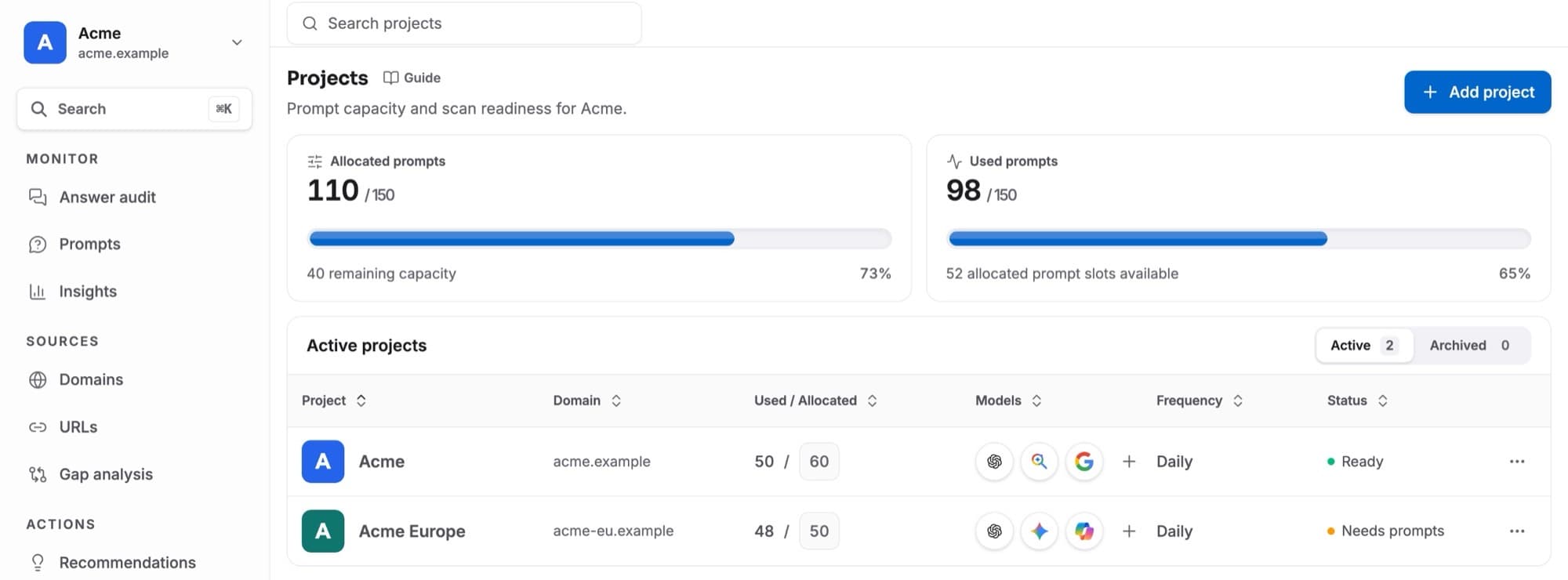
- Only for projects that are Ready: at least 40 allocated prompts and at least one AI model. See Projects.
- A new project’s first scan starts when its setup is finished.
- 50
- Answers per night: 150
- Answers per month: ≈ 4,500
- 150
- Answers per night: 450
- Answers per month: ≈ 13,500
- 400
- Answers per night: 1,200
- Answers per month: ≈ 36,000
| Prompts | Answers per night | Answers per month |
|---|---|---|
| 50 | 150 | ≈ 4,500 |
| 150 | 450 | ≈ 13,500 |
| 400 | 1,200 | ≈ 36,000 |
While a scan runs
Each model’s answers appear as soon as that model has answered; nothing waits for the slowest one. Answer audit shows the state of each model, and a project that already has results keeps showing them while a new scan runs (see Answer audit).
Model status
- Usually 4–5 min under a model is a range from that model’s own runs over the last 14 days: half finished within the first number, three in four within the second. It is history, not a promise; with too few recent runs no range is shown. Slower than usual today means the model has taken longer than three in four recent runs.
- A model that takes too long (90 minutes on a project’s first scan, 6 hours otherwise) is stopped so the rest of the report is ready, and is tried once more about 30 minutes after the scan finishes. If its answers arrive, they are added to the same scan (marked arrived late).
- Numbers only use models that have answered. A model still collecting is not counted, so it never shows as 0%.
If one model has trouble, the scan carries on with the others. A partial scan says how many answers completed and how many failed; every number uses only the answers that completed.
- Temporary errors are retried automatically, twice, within a minute or two (timeouts, a broken browser session, rate limits).
- Answers blocked by a sign-in page get one more try about 30 minutes later, unless that model hasn’t answered for your project in 3 days (then retrying would only cost money).
- Answers still missing after that come back with the next nightly scan.
When answers are read
As each model’s answers arrive, they are read for roles, ranks, sentiment and quotes (see Metrics explained). A new project’s first answers are read first, usually within a few minutes; nightly scans take from a few minutes to a few hours, depending on volume. Until then:
- Visibility and sources are available right away.
- Recommended, Position, Sentiment and “What AI says” fill in as answers are read. Charts shade those days Not read yet.
- When you add a competitor, past answers that name it are read again, so its history appears without waiting for new scans.
Available AI models
- ChatGPT
- What is asked: OpenAI's assistant, with web search
- Perplexity
- What is asked: Perplexity's answer engine
- Google AI Overview
- What is asked: The AI summary above Google results
- Google AI Mode
- What is asked: Google's conversational search mode
- Gemini
- What is asked: Google's assistant
- Copilot
- What is asked: Microsoft's assistant
| Model | What is asked |
|---|---|
| ChatGPT | OpenAI's assistant, with web search |
| Perplexity | Perplexity's answer engine |
| Google AI Overview | The AI summary above Google results |
| Google AI Mode | Google's conversational search mode |
| Gemini | Google's assistant |
| Copilot | Microsoft's assistant |
Each project uses the three models every plan includes, plus any extra models on Billing and plans. Change them on Projects; the change applies from the next scan.