Help centerActionsUpdated Oct 12, 2026
Recommendations
Suggested actions from your data: accept, plan, move through statuses and verify fixes.
- 1Search and priority
- 2Category cards
- 3Accept all
- 4Priority
- 5Open an action
- 6Refresh suggestions
- 7View impact
Recommendations is your team’s to-do list for AI visibility. Kliqo suggests actions automatically from your monitoring data. You can also save your own from Answer audit, Insights, Domains, URLs and Gap analysis. Each action carries the answers that justify it.
Four kinds of work
The cards at the top count the open actions in each category. Click a card to show only that category; click it again to show everything.
- Fix how AI reads your site
- What it covers: robots.txt rules that block AI search bots, and problems on your own pages: broken or unreachable pages, noindex, content only visible with JavaScript, missing titles, headings or structured data, slow pages.
- Improve your own pages
- What it covers: Topics where competitors win and none of your pages is cited (publish a page), and your pages that AI cites without naming your brand (make the brand unmistakable).
- Get mentioned elsewhere
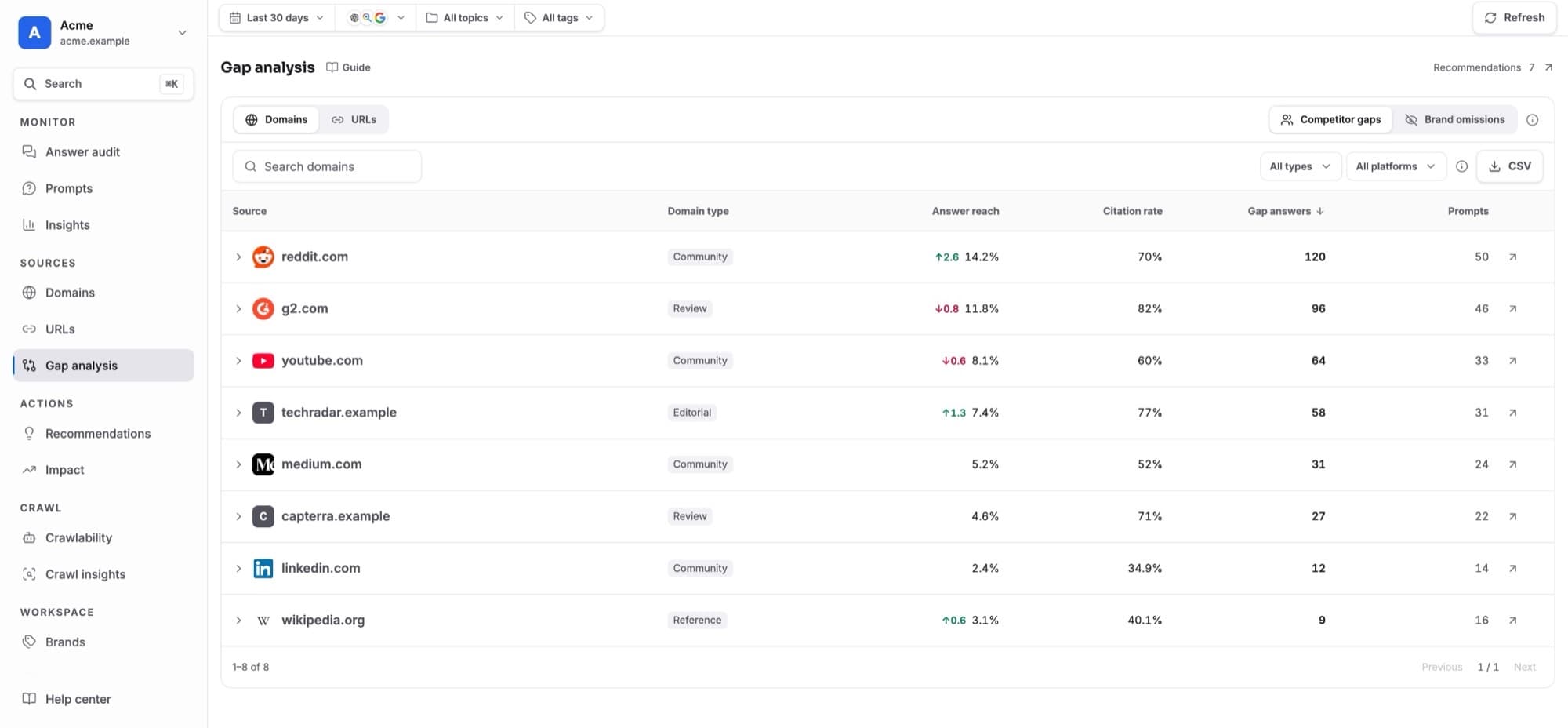
- What it covers: Third-party pages AI cites while naming competitors instead of you, such as videos, threads, review sites, directories and articles. Includes the sources you saved yourself.
- Fix wrong claims
- What it covers: Statements in AI answers that contradict your brand profile in Project settings. Each one quotes the answer and gives the correct fact.
| Card | What it covers |
|---|---|
| Fix how AI reads your site | robots.txt rules that block AI search bots, and problems on your own pages: broken or unreachable pages, noindex, content only visible with JavaScript, missing titles, headings or structured data, slow pages. |
| Improve your own pages | Topics where competitors win and none of your pages is cited (publish a page), and your pages that AI cites without naming your brand (make the brand unmistakable). |
| Get mentioned elsewhere | Third-party pages AI cites while naming competitors instead of you, such as videos, threads, review sites, directories and articles. Includes the sources you saved yourself. |
| Fix wrong claims | Statements in AI answers that contradict your brand profile in Project settings. Each one quotes the answer and gives the correct fact. |
The date, model, topic and tag filters don’t apply here, because saved actions aren’t tied to a range. Use the search box and the priority menu instead.
Where suggestions come from
After every scan, Kliqo looks at the last 30 days of answers and suggests actions where the data shows a real problem. Impact and priority are calculated from that data: how many answers, prompts and models are affected. AI writes the step-by-step plan.
- Untouched suggestions update with fresh numbers after each scan, and disappear once the problem is no longer detected.
- Accepted work is never rewritten. Only its latest numbers update.
- Declined suggestions stay declined unless their impact at least doubles.
- Fixed problems are confirmed. A done action whose problem is gone gets a ✓ Verified fixed date.
Why accept or decline?
Suggestions are ideas Kliqo found in your data; nobody has committed to them yet. Sorting them keeps your team’s real work list separate from the automatic ideas.
- Leave it
- It keeps updating after every scan and disappears by itself when the problem is gone.
- ✓ Accept
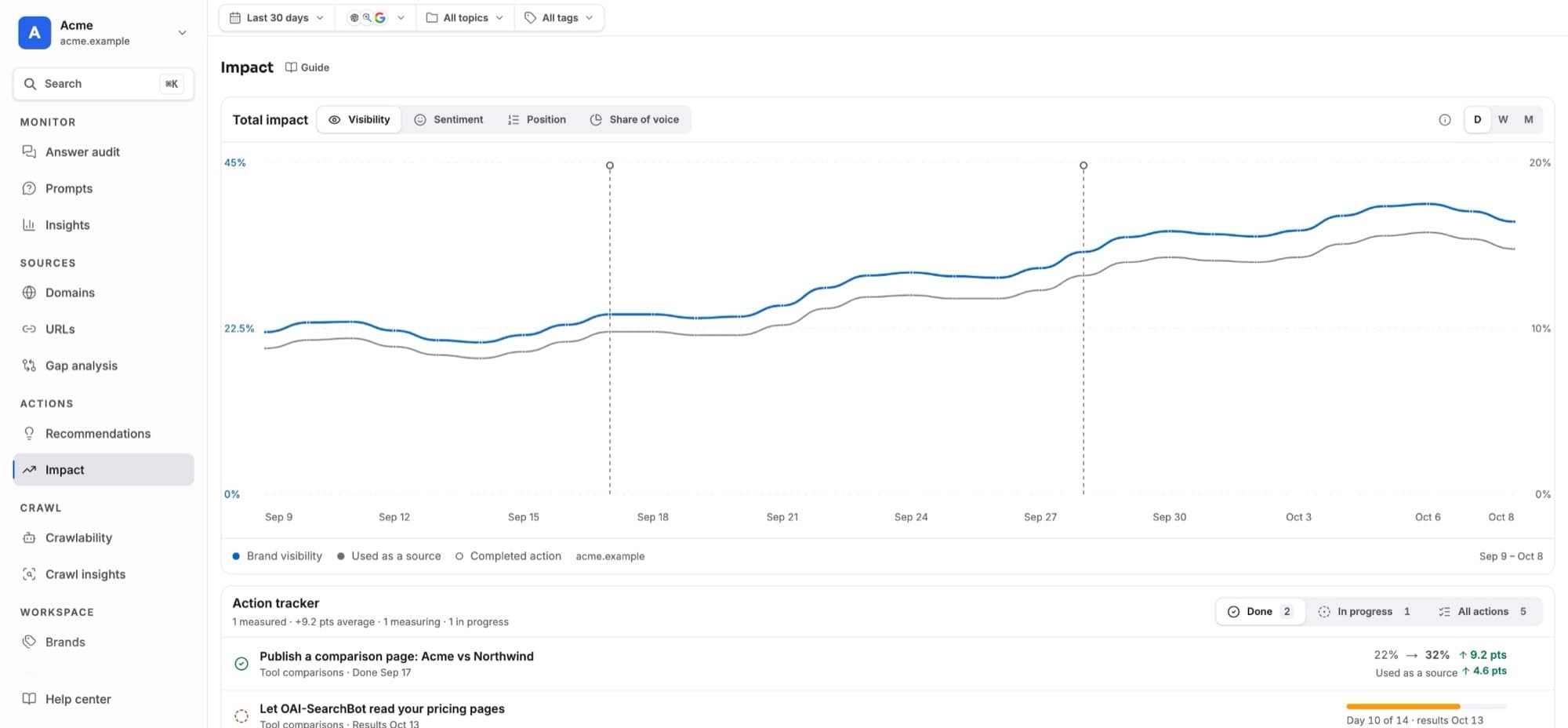
- It moves to In progress and becomes your team’s work: Kliqo stops rewriting its text, and when you mark it Done, Impact compares the 14 days before and after.
- × Decline
- Not relevant for you. It’s hidden and only comes back if the problem gets at least twice as big.
With Crawl insights connected
When your site is connected in Crawl insights, the real AI crawler visits feed Recommendations too. Only verified crawler visits count; scanner traffic using AI crawler names is left out.
- Crawler errors become actions: Make robots.txt load for AI crawlers, Fix server errors AI crawlers hit and Fix broken links AI crawlers follow, with the pages, error counts and crawlers from the last 14 days. When the errors stop, the action disappears, or gets ✓ Verified fixed if it was done.
- Pages AI actually reads rank a little higher among page suggestions.
- An action’s detail shows AI crawler activity for its pages: visits in the last 30 days, which crawlers, the last visit and AI referrals. Once it’s done, Seen by AI after the fix shows the first AI crawler visit since then.
- If the connection stops reporting, these actions stay as they are instead of being cleared for lack of data.
Refresh suggestions
The header shows when suggestions were last updated. Editors can click Refresh suggestions to check now. This is allowed 3 times a day, at least 30 minutes apart. When the button is disabled, its tooltip says when it becomes available again.
Statuses
Actions are grouped by status. Inside each status they are grouped by category, five at a time, then Show all N.
- New
- Suggested by Kliqo, or set to To do. Click ✓ (Accept) to take a suggestion on: it moves to In progress and a confirmation shows where it went. × declines it (the confirmation has Undo). Accept all takes every suggestion at once.
- In progress
- Someone is working on it.
- Done
- Finished. Moving an action to Done records the completion date, which Impact uses to measure before and after.
- Declined
- Not worth doing. Kept so it isn’t suggested again.
Priority
- High priority
- Medium priority
- Low priority
Moving actions
One action
Click the status icon at the start of a row and choose a status. You can also open the action and use its status menu.Drag
Press and hold a row for a moment, then drag it onto another status group. Press Esc to cancel.Several at once
Tick the checkboxes, or the checkbox on a category, and use the bar at the bottom: To do, In progress, Done or Decline. Dragging a selected row moves the whole selection.
If a teammate changed the same action a moment earlier, your change is not applied. The page reloads the latest version, so nothing is overwritten by mistake.
Inside an action
Click a row to open it. The browser’s Back button closes it. A suggestion can include:
- 1Accept or Decline
- 2Status
- 3Expected impact
- 4What to do
- 5The source AI cites
- What AI says
- For wrong claims: the quote from the answer, and the correct fact.
- Expected impact
- Very high to Low, with the reason and the models involved.
- What to do
- Numbered steps. An Example (such as a robots.txt rule or structured data) can be copied.
- Affected pages
- For site fixes: the pages of yours that were checked and failed.
- Prompts this can win
- The prompts where the problem costs you, with answer counts.
- Named instead of you
- Competitors that appear where you don’t.
- Evidence answers
- The answers behind the action, most important first. Click one to read it. Back brings you to the action again.
- History
- Every status change and edit, with its date.
- 1Named instead of you
- 2Copy as prompt
- 3Filter by model
- 4An evidence answer
Evidence labels
Who can do what
Owners, admins and editors can accept, decline, move and refresh. Viewers can read every action and its evidence; the status shows “Editors can change status”.